
Download NOW
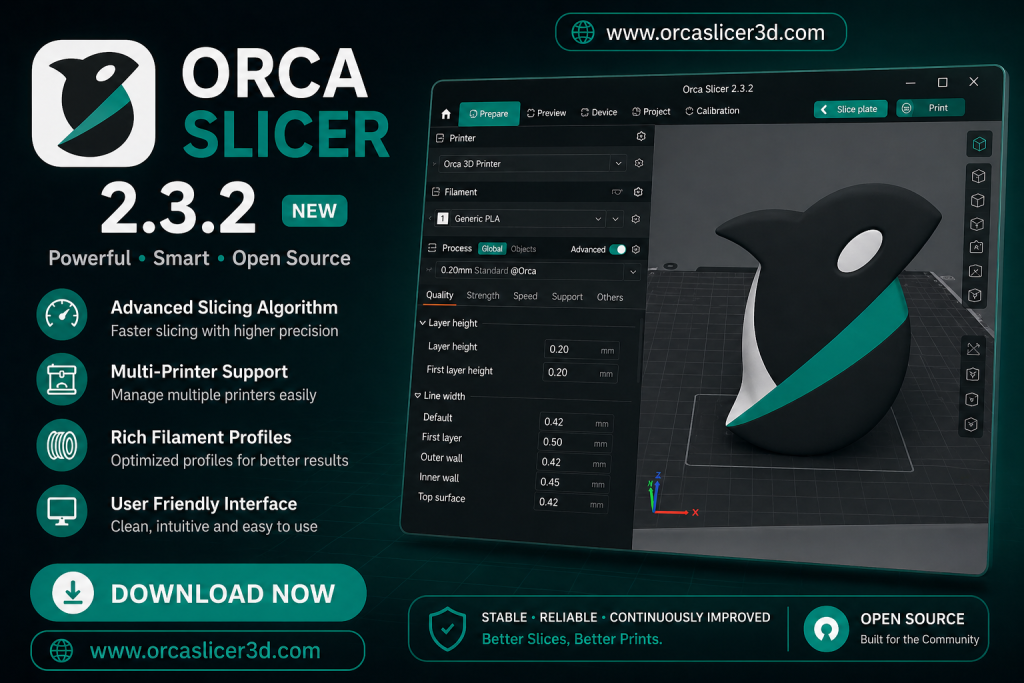
If you’re into 3D printing and want a simple but powerful slicer, Orca Slicer is worth checking out. It’s free, open-source, and packed with smart features to help your prints look great — even if you’re just starting out.
How to Download and install Orca Slicer on Windows, macOS, and Linux. Whether you want the latest stable version or the cutting-edge nightly build, it’s all here.
Orca Slicer v2.4.2 Download
Download OrcaSlicer
Free, open-source slicer for FDM 3D printing — for Windows, macOS and Linux.
Stable Release
v2.4.2Released ~July 5, 2026 · Recommended for daily printing and reliable results.
For Windows
- OS: Windows 7+ (x64) · Windows 11 (ARM64)
- Processor: Intel/AMD 64-bit, or Snapdragon X Elite (ARM64)
- Memory: 4 GB RAM (8 GB+ recommended)
- Graphics: DirectX 11 compatible
- Storage: 500 MB free space
Windows (Portable)
- Version: 2.4.2
- Minimum: Windows 10 (x64) · Windows 11 (ARM64)
- File Size: 163 MB (x64) · 147 MB (ARM64)
- Updated: July 2026
For Mac (Universal)
- Version: 2.4.2
- OS: macOS 10.13 or newer
- Processor: Apple Silicon or Intel 64-bit
- Graphics: Metal-compatible GPU
- Memory: 4 GB RAM (8 GB+ recommended)
- File Size: 235 MB
For Linux (AppImage)
- Built on: Ubuntu 24.04
- Processor: Intel/AMD 64-bit or ARM64
- Memory: 4 GB RAM (8 GB+ recommended)
- Graphics: OpenGL 3.2+
- Storage: 500 MB free space
Linux Flatpak
- Version: 2.4.2
- Minimum: Ubuntu 22.04, Fedora 39, Debian 11
- File Size: 125 MB (x86_64) · 121 MB (aarch64)
- Tip: installing from Flathub keeps itself updated automatically
Nightly Builds
LatestRebuilt automatically after every commit to the main branch. Experimental — expect occasional bugs, and file sizes shift with every build.
For Windows
- Built from: latest main-branch commit
- Minimum: Windows 10+
- Size: varies per build
Windows (Portable)
- Built from: latest main-branch commit
- Minimum: Windows 10+
- Size: varies per build
For Mac
- Built from: latest main-branch commit
- Minimum: Universal — Apple Silicon & Intel
- Size: varies per build
Linux (AppImage)
- Built from: latest main-branch commit
- Minimum: Ubuntu 22.04, Fedora 39, Debian 11
- Size: varies per build
Linux Flatpak
- Built from: latest main-branch commit
- Architectures: aarch64 & x86_64
- Size: varies per build
🔧 Printing on a belt / conveyor machine? Experimental belt-printer nightly builds (Windows, macOS, Linux) are published in parallel, marked with a _belt suffix — find them on the nightly builds page.
OrcaSlicer is open-source software. Full source code and release history on GitHub.
Which version should I pick?
| Version Type | Stability | Best For |
|---|---|---|
| Stable Release | ⭐⭐⭐⭐⭐ | Daily printing and reliable results. |
| Previous Stable | ⭐⭐⭐⭐ | Matching an existing setup, profile, or plugin built on an older version. |
| Beta / Alpha | ⭐⭐⭐ | Testing new features before official release. |
| Nightly Builds | ⭐ | Bleeding-edge / experimental features (may have bugs). |
Previous Versions
ArchiveFor most people the Stable Release above is the right download. These are kept for anyone who needs to match an older profile, plugin, or workflow. Tap a version to see what changed.
OrcaSlicer v2.4.1 ▸
Maintenance release on top of 2.4.0. Introduced the first native Windows ARM64 build (Snapdragon X Elite and similar devices), a “Minimal” chamber-temperature field for filaments, and a rework of skirt/brim generation that fixed a regression affecting per-object and sequential printing.
View all v2.4.1 downloads & full changelog on GitHub →OrcaSlicer v2.4.0 ▸
Added a Microsoft Store install channel for Windows, the option to send sliced jobs to a printer as a packaged 3MF, faster slice-to-preview processing via G-code pattern caching, and a further skirt-generation overhaul — plus Orca Cloud offline-login support and a broad round of bug fixes.
View all v2.4.0 downloads & full changelog on GitHub →OrcaSlicer v2.3.2 ▸
Patched a path-traversal security issue in 3MF import, added a configurable wipe-tower type setting, brought a round of Linux/Flatpak stability improvements, and fixed a CLI segfault. The official Flathub package (flatpak install flathub com.orcaslicer.OrcaSlicer) also launched around this release.
OrcaSlicer v2.3.0 ▸
An older release kept here for anyone who needs to match a workflow or profile built on this specific version. Three stable releases and a security fix have shipped since, so most people should use the current Stable Release above instead.
View all v2.3.0 downloads on GitHub →Beta & Alpha Pre-releases ▸
Pre-releases are where new features land first, for testing ahead of a Stable Release — not recommended for production printing. This covers every beta/rc/alpha tag, including v2.3.2-beta2 (Feb 15, 2026), v2.3.2-rc (Mar 1, 2026), v2.3.2-rc2 (Mar 6, 2026), v2.4.0-alpha (May 25, 2026), and v2.4.0-beta (Jun 9, 2026).
Browse all pre-releases on GitHub →Orca Slicer v2.4.0 Download
Download OrcaSlicer
Free, open-source slicer for FDM & resin 3D printing — for Windows, macOS and Linux.
Stable Release
v2.4.0For Windows
- Operating System: Windows 7 or newer
- Processor: Intel Core i3 or similar
- Memory: At least 4 GB RAM (Recommended 8GB+)
- Graphics: Compatible with DirectX 11
- Storage: 500 MB of free space
- Size: 131 MB
For Windows (Portable)
- Version: 2.4.0
- Minimum Requirement: Windows 10
- File Size: 163 MB
- Last Update: June 20, 2026
For Mac (Universal)
- Version: 2.4.0
- Operating System: macOS 10.13
- Processor: Intel Core i3 or similar
- Graphics: GPU compatible with Metal
- Memory: At least 4 GB RAM (Recommended 8GB+)
- Storage: 500 MB free space
- File Size: 234 MB
- Last Update: June 20, 2026
For Linux
- Processor: Intel Core i3 or comparable
- Memory: 4 GB RAM (Recommended 8GB+)
- Graphics: Supports OpenGL 3.2
- Storage: 500 MB of available space
- Size: 131 MB
For Linux Flatpak (aarch64 & x86_64)
- Version: 2.4.0
- Minimum Requirement: Ubuntu 22.04, Fedora 39, Debian 11
- File Size: aarch64 (120 MB), x86_64 (125 MB)
- Last Update: June 20, 2026
OrcaSlicer Nightly Builds
LatestFor Windows
- Version: Latest
- Minimum Requirement: Windows 10
- File Size: 131 MB
- Last Update: June 20, 2026
For Windows (Portable)
- Version: Latest
- Minimum Requirement: Windows 10
- File Size: 160 MB
- Last Update: June 20, 2026
For Mac
- Version: Latest
- Minimum Requirement: Universal
- File Size: 234 MB
- Last Update: June 20, 2026
For Linux (older-distros)
- Version: Latest
- Minimum Requirement: Ubuntu 22.04, Fedora 39, Debian 11
- File Size: 131 MB
- Last Update: June 20, 2026
For Linux (newer-distros)
- Version: Latest
- Minimum Requirement: Ubuntu 22.04, Fedora 39, Debian 11
- File Size: aarch64 (121 MB), x86_64 (125 MB)
- Last Update: June 20, 2026
This website does NOT host any software files.
All downloads are provided directly from the official GitHub repository of Orca Slicer.
We do not modify, bundle, or redistribute any software.
| Version Type | Stability | Best For |
| Stable Release | ⭐⭐⭐⭐⭐ | Daily printing and reliable results. |
| Beta/Alpha | ⭐⭐⭐ | Testing new features before official release. |
| Nightly Builds | ⭐ | Experimental features (May have bugs). |
Orca Slicer v2.3.2 Official Release
🐧 For Linux (Flatpak – ARM64 / aarch64)
🐧 For Linux (Flatpak – x86_64)
🐧 For Linux (AppImage – Ubuntu 24.04 & Older Distros)
🍎 For macOS (Universal – Apple Silicon & Intel)
🪟 For Windows
💾 For Windows (Portable)
Download Nightly Builds
For Mac Universal alpha.dmg
For Profile validator Linux Ubuntu2404 alpha
For Profile validator Mac universal lpha.dmg
For Profile Validator Windows alpha.exe
For Windows Installer nightly.exe
For Windows nightly portable.zip
For Custom Preset Tests.zip
For Source Code
Orca Slicer v2.3.0 OLD Version Official Release
For Windows
For Mac (arm64)
For Linux (older distros)
For Windows (Portable)
For Mac (x86_64)
For Linux (newer distros)
Orca Slicer Beta (Pre-release)
For Linux-flatpak_V2.3.2-beta_aarch64.flatpak
For Linux-flatpak_V2.3.2-beta_x86_64.flatpak
For Linux_AppImage_V2.3.2-beta.AppImage
For Mac_universal_V2.3.2-beta.dmg
For Windows_Installer_V2.3.2-beta.exe
For Windows_v2.3.2-beta_portable.zip
Orca Slicer Alpha (Pre-release)
For Linux-flatpak_V2.3.2-alpha_aarch64.flatpak
For Linux-flatpak_V2.3.2-alpha_x86_64.flatpak
For Linux_AppImage_Ubuntu2404_V2.3.2-alpha.AppImage
For Mac_universal_V2.3.2-alpha.dmg
For Windows_Installer_V2.3.2-alpha.exe
For windows_v2.3.2-alpha_portable.zip
Linux flatpak lpha aarch64.flatpak
Linux flatpak V alpha x86 64.flatpak
Linux AppImage Ubuntu2404 alpha.AppImage
Minimum System Requirements
| Component | Windows | macOS | Linux |
| OS | Windows 10/11 (64-bit) | v10.13 or newer | Ubuntu 22.04+ / Fedora |
| RAM | 4 GB (8 GB Recommended) | 4 GB (8 GB Recommended) | 4 GB Minimum |
| Graphics | DirectX 11 | Metal-compatible GPU | OpenGL 3.2 |
| Storage | 500 MB Free Space | 500 MB Free Space | 500 MB Free Space |
How to Install Orca Slicer (Step-by-Step)
Windows Installation
Done! You’re ready to start slicing.
- Click the download button above for the
.exefile. - Open it and follow the steps like a regular setup.
- For the portable version, just unzip and double-click
OrcaSlicer.exe.
macOS Installation
- Download the
.dmgfile. - Open it and drag Orca Slicer into the Applications folder.
- If macOS blocks it, go to:
System Settings > Privacy & Security > Open Anyway - Launch and enjoy!
Linux (AppImage – Older Distros)
- Download the
.AppImagefile. - Open a terminal and run:
chmod +x OrcaSlicer.AppImage - Then launch with:
./OrcaSlicer.AppImage - You’re good to go!
Linux (Flatpak – Newer Distros)
- Make sure Flatpak is installed.
Example (Ubuntu):sudo apt install flatpak - Install Orca Slicer with one of these:
flatpak install orcaslicer_x86_64.flatpakflatpak install orcaslicer_aarch64.flatpak
- Open it from your app menu or by running:
flatpak run orcaslicer
Also Read: Orca Slicer Wiki
Orca Slicer makes 3D printing smoother, smarter, and easier — no matter which printer or platform you use. With this guide, downloading and installing it is a breeze. Whether you’re using Windows, Mac, or Linux, you’ll be printing in no time.